
Vision Pro 45W Laser Head Cannot Sync or Shows a Communication Error
Overview
If the software displays messages such as “Laser Head Sync Failed”, “Laser Head Communication Error”, or the laser head cannot be detected, it means the machine is unable to establish normal communication with the laser head.
This issue is usually related to the connection between the laser head and the machine. Possible causes include a loose or damaged laser head connection cable, an issue with the laser head itself, or a communication problem with the machine.
Follow the troubleshooting steps below to help identify the cause and resolve the issue.
Possible Causes
The laser head sync issue may be caused by the following:
Laser head connection issue
The laser head cable may be loose, incorrectly connected, or damaged, causing communication failure between the machine and the laser head.
Laser head malfunction
The laser head itself may have a communication issue and cannot communicate with the machine properly.
Troubleshooting Steps
Step 1. Check the Laser Head Installation and Connection
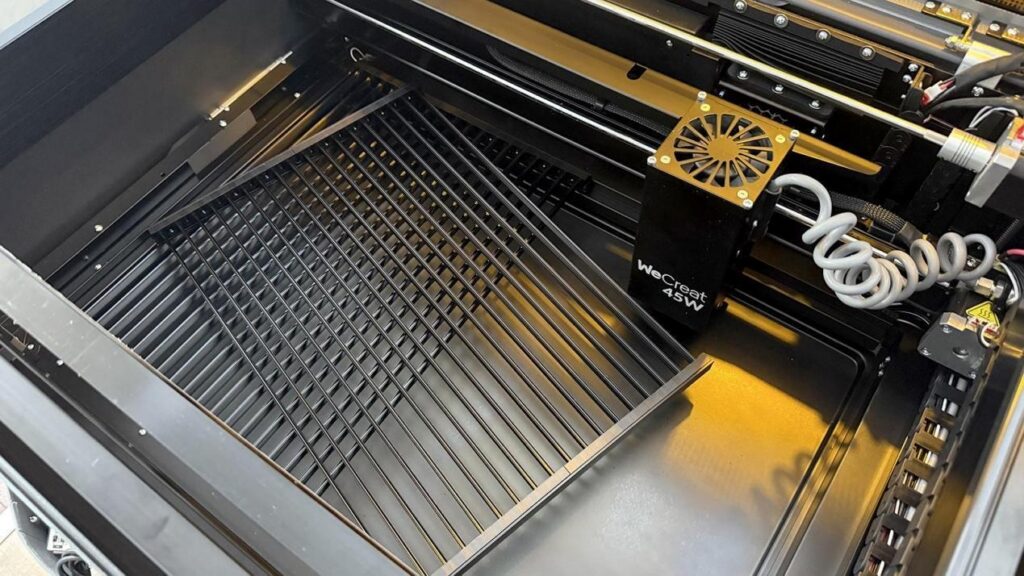
Before starting further troubleshooting, make sure the laser head and the laser head connection cable are installed correctly.
- Turn off the machine.
- Check whether the laser head is installed properly and securely.
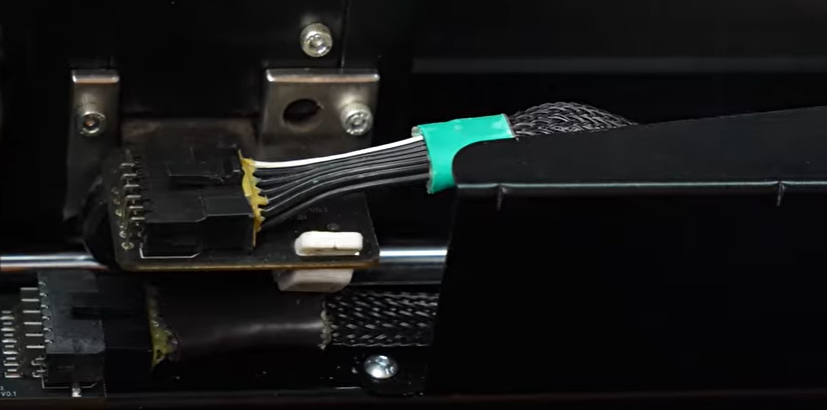
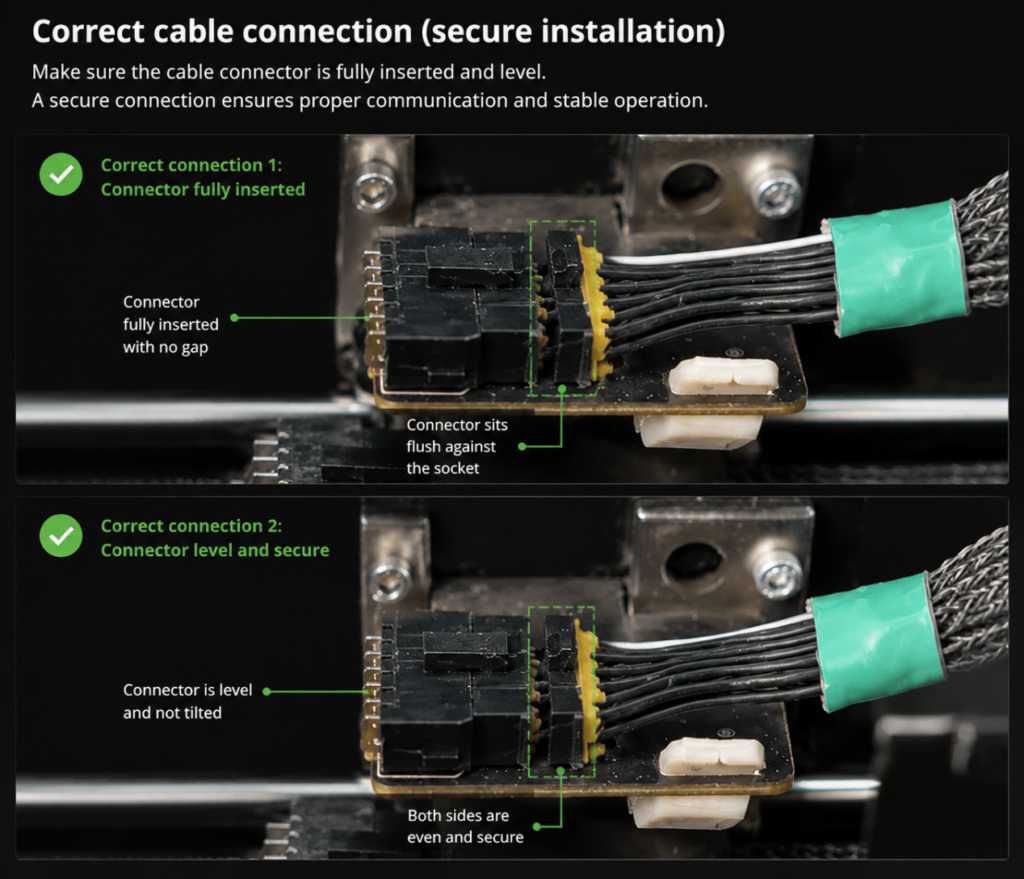
- Check whether the laser head connection cable is fully inserted into the correct ports on both the laser head and the machine.
- Make sure the cable is not loose, bent, or incorrectly connected.
- Turn on the machine and check whether the laser head can sync normally.
If the issue remains, continue with the following steps.
Correct laser head installation(Vision Pro 45W example)
Laser head connection cable location(Vision Pro 45W example)
Step 2. Inspect the Laser Head Connection Cable
A damaged or faulty connection cable may prevent communication between the machine and the laser head.
Please check the following:
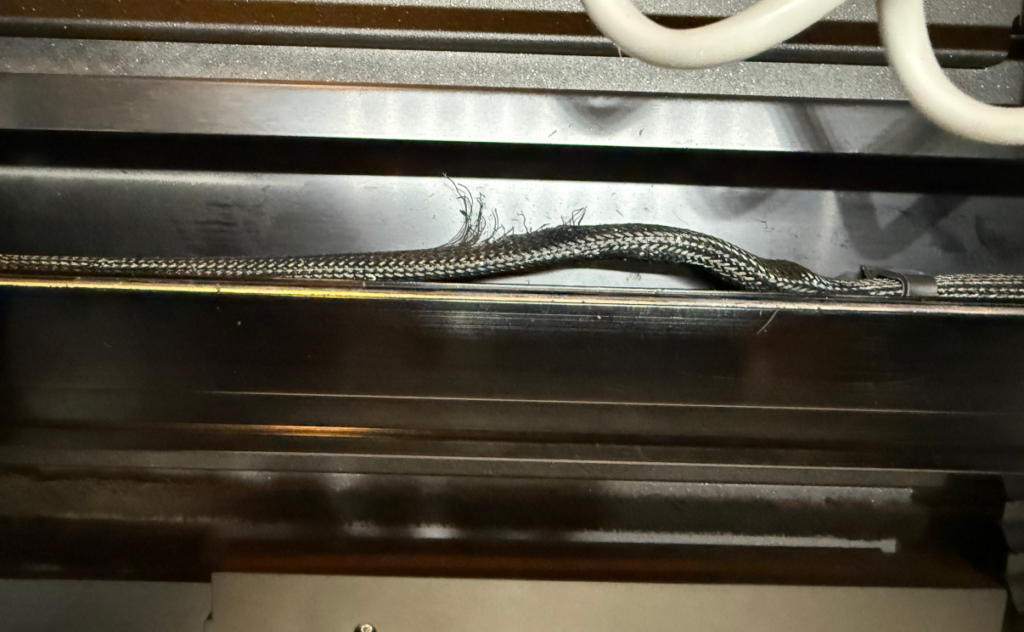
- Make sure there is no visible damage on the cable.
- Check whether the cable has:
- Bending marks
- Scratches
- Broken areas
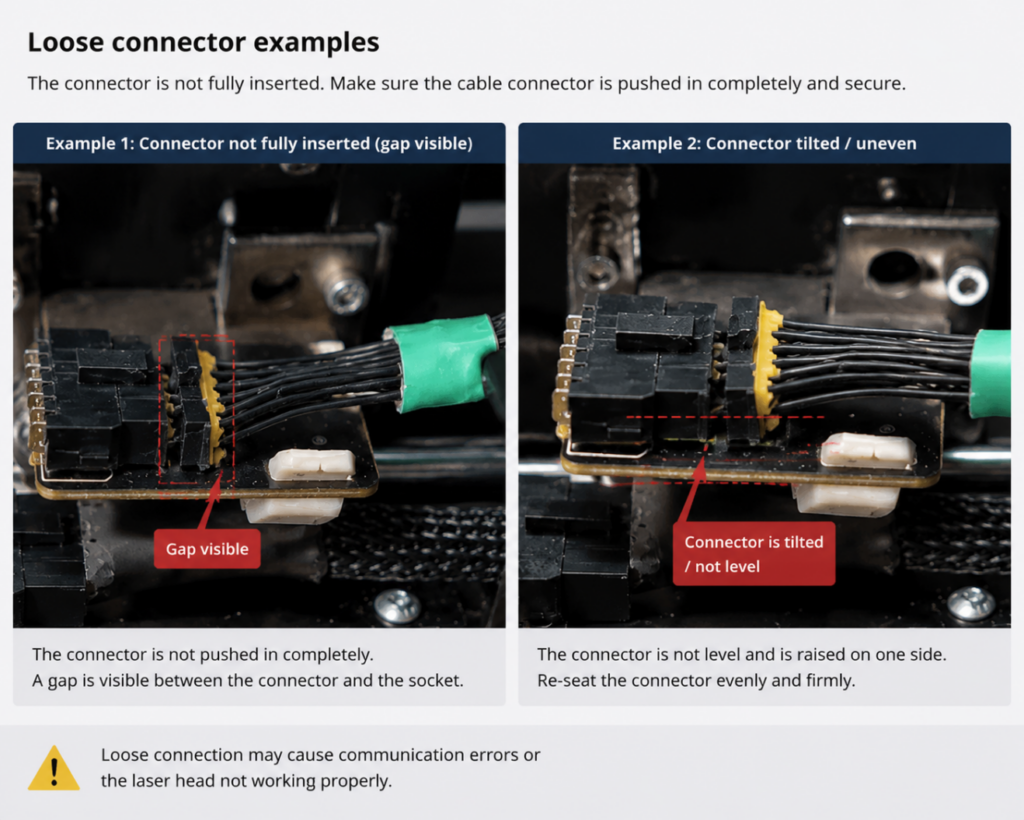
- Loose connectors
If you have a spare laser head connection cable, continue with Step 3.
Damaged cable examples (Vision Pro 45W example)
Loose connector examples(Vision Pro 45W example)
Step 3. Test with a Spare Laser Head Connection Cable
If you have a spare laser head connection cable, replace the current cable and test again.
The Vision 45W and Vision 40W machines include a spare laser head connection cable in the accessory package. Please use the spare cable to replace the current one and check if the laser head can sync properly.
- Turn off the machine.
- Replace the existing laser head connection cable with the spare cable.
- Make sure both ends are securely connected.
- Turn on the machine.
- Check whether the laser head can sync normally.
Test Result:
- The laser head syncs normally after replacing the cable
→ The original connection cable may be damaged and needs to be replaced.
- The laser head still cannot sync
→ Continue to the next step.
Step 4. Test with the 2W IR Laser Module
If you have a 2W IR laser module, use it to determine whether the issue is related to the laser head.
- Turn off the machine.
- Connect another compatible laser head.
- Turn on the machine.
- Check whether the laser head can sync normally.
Test Result:
- Another laser head syncs normally
→ The original laser head may be faulty and may need to be replaced.
- Another laser head also cannot sync
→ The issue may be related to the machine itself. Please contact WeCreat Support for further assistance.
Troubleshooting Result
|
Test Result |
Possible Cause |
|---|---|
|
Laser head works after reconnecting the cable |
Incorrect installation or loose connection |
|
Laser head works after replacing the connection cable |
Original connection cable issue |
|
Another laser head works normally |
Original laser head issue |
|
Multiple laser heads cannot sync |
Further inspection of the machine is required |
Contact WeCreat Support
If the laser head still cannot sync after completing all troubleshooting steps, please contact WeCreat Support and provide the following information:
- Machine model
- Machine SN (Serial Number)
- Software version
- Firmware version
- Screenshot or video of the error message
- Whether you have tested another connection cable
- Whether you have tested another compatible laser head
This information will help us identify the cause and provide a suitable solution.